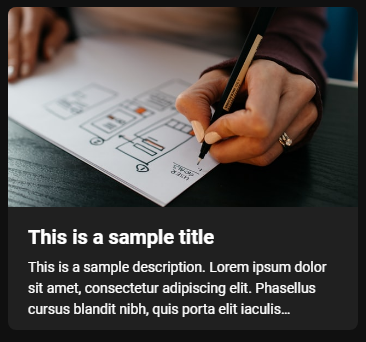
| title | | String | The title of the on-demand content. To be displayed on the list of video cards in the on demand page as well as on the video viewing page. | Try to avoid very long titles as this can make the cards very tall. |
| description | | String | A description of the on-demand content. A truncated version (limited to 3 lines) will be displayed on the video card and a full version will be displayed on the video page. | Descriptions will be truncated if they exceed three lines in length. The full description is always displayed on the video page. |
| photoURL | | String | A preview image i.e. screenshot of the video content or thumnail to be displayed on the video card for the piece of ondemand content. | The images used here should use something close to a 16:9 aspect ratio. |
| logoURL | | String | The square shaped image to be displayed on the video page next to the title and description. | A square shaped image should be used here. |
| iframeURL | | String | The URL for the embeddable content to be displayed on the video page e.g. a video embed. | Make sure the link you are specifing is embeddable - test it works! |
| externalLink | | String | The URL you want to open in a new tab when the card is clicked on.
This field is used if you want the card to act as a clickable link to an external site. The page will open in a new tab. | If this attribute is present it will disable the video page that normally appears when you click on a card and the card will instead act as a link to an external site. |
| category | | String | The name of the tab you want the card to appear under. Cards with the same category field value will appear under the same tab.
| If there is no category attribute specified on any of the cards the category tabs will be hidden and all cards will be displayed in a single list.
If some of the cards don't have a category field they will appear under a tab marked 'other'. |